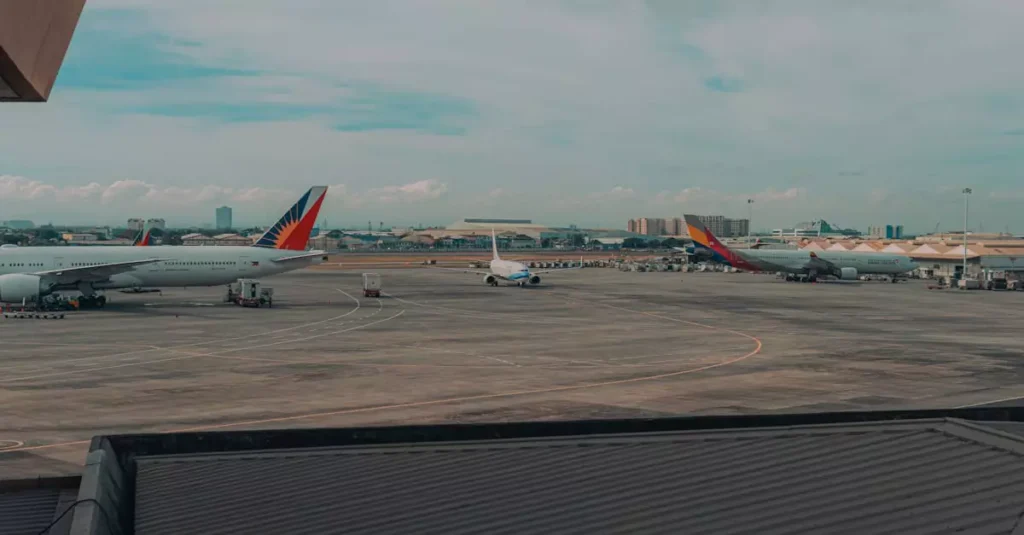
Touching down in a foreign land often brings a rush of immediate priorities, and for many travelers, securing dependable internet access ranks near the top. Grasping the details about manila airport wifi cost and the options on hand is essential. This overview guides you through the connectivity options at Ninoy Aquino International Airport (NAIA), helping you stay online from the moment you step off the plane. From complimentary Wi-Fi to budget-friendly SIM cards, you’ll find the best ways to remain connected.
The Philippines is a destination rich with energy and color, and having uninterrupted internet access makes your travel experience smoother. Whether booking a ride, searching for directions, or staying in touch with friends and family, reliable connectivity is a game changer. Manilas vibrant pace calls for a bit of preparation. Knowing your internet choices before you arrive can save you hassle and wasted time, setting the tone for a stress-free journey.
You’ll discover a variety of internet options available at NAIA, including free Wi-Fi, prepaid SIM cards, and portable hotspots. This serves as a practical manila internet price guide to help you pick what suits your budget and data demands. With the right info, connecting in Manila becomes straightforward and hassle-free.
Understanding Connectivity Needs at Manila Airport
Stepping into Manila means adjusting to a new setting quickly. Most travelers spend their initial moments figuring out transport or contacting accommodations. Accessing the internet right away is crucial for these tasks. Without it, confusion and delays can easily occur. Checking messages, confirming bookings, or coordinating plans all hinge on internet availability. Reliable Wi-Fi or mobile data becomes indispensable at this stage.
Many visitors depend on apps to get around and stay connected. Services like Grab are widely used in Manila, and they require a live internet connection to function properly. Whether booking accommodations or tours, online access is almost always necessary. Groups and families need connectivity to stay organized, while solo travelers value the safety and convenience it brings. Having a clear plan for your internet needs before arriving can make a big difference.
The airport itself often sees long lines at immigration or baggage claim. Having internet during these waits lets you stay productivecatching up on emails or updating social channels. It also proves invaluable if unexpected travel hiccups arise. With access to information at your fingertips, you can adjust plans swiftly. This readiness translates into a smoother start to your trip.
Manila Airport WiFi Cost: Free vs. Paid Options
Many travelers naturally seek out free Wi-Fi as soon as they arrive. Ninoy Aquino International Airport (NAIA) does provide complimentary Wi-Fi throughout its terminals. Youll find clear signage pointing you to the network. Signing in usually involves a brief registration, sometimes requiring an email or acceptance of terms. This free option is handy for quick checks or sending brief messages.
Still, there are some realities to consider with free airport Wi-Fi. Speeds can be unpredictable, often fluctuating with how many users are online. During busy periods, connections may slow or become unstable. This makes streaming or downloading large files frustrating. While it works well for basic browsing or emails, free Wi-Fi often falls short for heavier use or longer sessions. Time limits are common too, generally allowing 30 to 60 minutes per login.
If you need a stronger connection, paid choices come into play. These include premium Wi-Fi packages or mobile data through local SIM cards. Unlike some airports, NAIA doesnt offer dedicated paid Wi-Fi plans, so the main paid option is buying a local SIM card. This investment typically covers the manila airport wifi cost for reliable connectivity. It guarantees steady speeds and ample data, putting control over your internet usage firmly in your hands during your stay.
Prepaid SIM Cards: Your Best Bet for Manila Internet Price Guide
For most visitors, grabbing a prepaid SIM card delivers the best mix of affordability and reliability. These SIMs are readily available at NAIA, with major providers like Globe and Smart operating booths in the arrivals area. These counters tend to be open around flight times. The purchase process is simple and quick, requiring your passport for registrationa standard procedure in the Philippines. Usually, the entire setup takes just 10 to 15 minutes.
Prepaid SIM cards themselves are inexpensive, often costing around PHP 40-50 (under $1 USD). The main expense comes from the data plans you select. A popular tourist bundle might include 8GB valid for a week, priced between PHP 300-500 ($5-9 USD). For those staying longer or needing more data, larger packages are available, such as 20GB or more for a month. These plans typically range from PHP 700-1500 ($12-25 USD), making them a solid reference for your manila internet price guide.
Activation is generally handled by the booth staff, who insert the SIM into your phone and confirm its working before you leave. This immediate setup means you can start navigating, messaging, and booking rides without delay. Coverage throughout Manila and other key cities is usually reliable, making prepaid SIMs a top recommendation for staying connected in the Philippines. For additional travel information, you can visit the official eTravel website.
Portable Wi-Fi Devices and eSIMs: Modern Connectivity Solutions
Beyond the traditional SIM card, other options are gaining popularity among travelers. Portable Wi-Fi devices, or pocket Wi-Fi, are handy gadgets you can rent at NAIA or reserve ahead online. These devices create a personal hotspot that multiple gadgets can connect to simultaneously. This is especially convenient for families or groups sharing data. Rental rates usually fall between PHP 300-500 ($5-9 USD) per day and often include unlimited or generous data caps. The ability to connect several devices without swapping SIM cards is a major advantage.
eSIMs represent a newer, increasingly favored choice. An eSIM is a virtual SIM embedded inside your phone, eliminating the need for a physical card. Many recent smartphones support eSIM technology. You can buy an eSIM plan online before your trip and activate it by scanning a QR code. This approach lets you have internet access immediately after landing, skipping lines at airport counters. eSIM plans for the Philippines come with various data options, priced competitively with physical SIM cards, usually starting around $7-10 USD for a week. This digital option adds flexibility to your manila internet price guide.
Each option has its perks: pocket Wi-Fi is excellent for sharing data among multiple users but means carrying and charging an extra device. eSIMs offer convenience for phones that support them, avoiding physical SIM swaps. However, not all devices are compatible, so checking your phone beforehand is essential. These modern solutions cater to different traveler preferences and needs.
Comparing Manila Airport WiFi Cost & Other Internet Options

Choosing the ideal internet solution depends on your travel habits, budget, and length of stay. Free airport Wi-Fi works well for quick online checks but lacks the speed and reliability needed for continuous use. Prepaid SIM cards strike a great balance between affordability and performance, offering good coverage and easy access. Portable Wi-Fi devices suit groups who want to share connections seamlessly. eSIMs offer a smooth digital experience for those with compatible devices.
Below is a comparison table to help clarify your options:
| Option | Typical Cost | Data Limit | Pros | Cons |
|---|---|---|---|---|
| Free Airport Wi-Fi | Free | Limited, often 30-60 min sessions | Instant access, no cost | Slow speeds, inconsistent, time limits |
| Prepaid SIM Card | PHP 300-1500 ($5-25 USD) for data package | 8GB to 20GB+ for 7-30 days | Cost-effective, reliable, good coverage, local number | Requires passport registration, physical SIM swap |
| Portable Wi-Fi (Rental) | PHP 300-500 ($5-9 USD) per day | Unlimited or high limit | Shareable, consistent speed, no SIM swap | Extra device to carry, daily rental fee, battery life |
| eSIM | $7-25 USD for data package | 5GB to 20GB+ for 7-30 days | Instant activation, no physical SIM, multiple plans | Requires compatible phone, no local number |
When weighing the manila airport wifi cost, remember that the cheapest choice doesnt always deliver the best experience. Spending a bit more on a prepaid SIM or eSIM can spare you the frustration of unreliable connections. Having steady access to maps, communication, and emergency contacts brings invaluable peace of mind during your travels. Take all these factors into account when deciding what suits your trip best.
Practical Tips for Staying Connected in Manila
Maintaining good internet access in Manila is simple with some preparation. Here are useful tips to keep your connection steady:
- Important Tip 1: Unlock Your Phone Before You Travel. If you plan to use a local SIM, your device must be unlocked. Reach out to your carrier at home ahead of time to confirm. An unlocked phone lets you use SIM cards from any network.
- Important Tip 2: Download Offline Maps. Even with solid internet, offline maps serve as a smart backup. Google Maps lets you save areas for offline use, helping you navigate without connectivity.
- Reality Check: Peak Hour Congestion. Manilas internet can slow down during busy times, affecting both mobile and public Wi-Fi. If possible, schedule important online tasks during less crowded periods.
- Carry a Power Bank. Using the internet constantly drains battery quickly. A portable charger ensures your phone stays powered, which is crucial for directions and communication.
- Understand Data Packages. When purchasing a SIM, clarify data validity and restrictions. Some plans offer unlimited data only for specific apps, so make sure your package fits your needs.
- Keep Your Passport Handy. SIM card registration requires your passport. Keeping it ready at airport telco booths speeds up the activation process.
Following these suggestions will help you manage your manila internet price guide effectively. Reliable connectivity enhances every part of your Philippine journey. To deepen your knowledge about the country, check out Philippines on Wikipedia.
FAQs About Manila Airport Connectivity
Is there free Wi-Fi at Manila Airport?
Yes, NAIA provides complimentary Wi-Fi throughout its terminals. It’s suitable for light browsing and messaging but can be slow and has session time limits.
How much does a local SIM card cost in Manila?
A prepaid SIM card is inexpensive, often around PHP 40-50. The main expense comes from data packages, such as 8GB for 7 days costing roughly PHP 300-500 ($5-9 USD). Larger plans cost more.
Can I use an eSIM in the Philippines?
Absolutely. If your phone supports eSIM technology, you can purchase plans online and activate them instantly without a physical SIM.
What is the best way to get internet in Manila for tourists?
Most tourists find buying a prepaid SIM card at the airport the most practical choice, offering solid coverage and dependable speeds. eSIMs are also a convenient option for compatible devices.
How long does it take to activate a SIM card at Manila Airport?
Activation usually takes between 10 and 15 minutes and requires passport presentation. Telco staff at the airport assist with the setup process.
Conclusion
Figuring out the manila airport wifi cost and selecting the right internet option can make a big difference upon arrival. While free Wi-Fi is available, it mostly covers basic needs. For steady, reliable service, investing in a local prepaid SIM card or eSIM is highly advisable. These choices offer great value and keep you connected throughout your Philippine trip.
Consider your data usage, length of stay, and budget carefully. Whether you prefer a physical SIM, an eSIM, or a portable Wi-Fi device, planning ahead ensures a smooth transition from arrival to exploring. Enjoy Manilas lively culture and stunning scenery with the confidence that youre always online.